
以下を入れる
https://istio.io/latest/docs/ops/integrations/jaeger/
kubectl apply -f https://raw.githubusercontent.com/istio/istio/release-1.24/samples/addons/jaeger.yaml
以下を入れる
https://istio.io/latest/docs/ops/integrations/jaeger/
kubectl apply -f https://raw.githubusercontent.com/istio/istio/release-1.24/samples/addons/jaeger.yaml
Jmeterを使って負荷テストを行ってみる
設定値:
Number of Threads : 50
Ramp-up period : 100
無限に実施

■以下のistio公式から入手したマイクロサービスを使っている
curl -L https://istio.io/downloadIstio | sh -
参照先:
https://istio.io/latest/docs/setup/getting-started/#download
負荷対象は、マイクロサービスがぶら下がっているingress-gatewayに負荷をかける
(以下、マニフェストをみると、apiの役割を兼ねている)
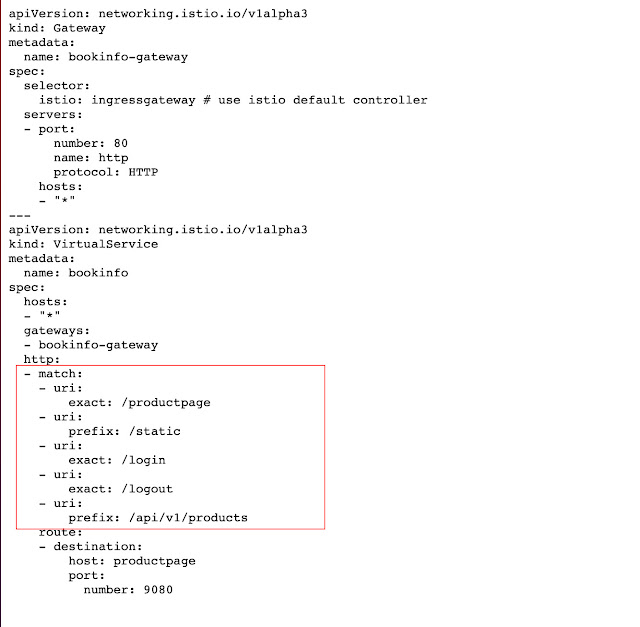
①ingress-gatewayに負荷をかける。
②結果:
reviewsのマイクロサービスが高負荷になっていることが把握できる。


参照
https://istio.io/latest/docs/setup/getting-started/#download
k8sでモニタリングをしたくなったのでprometheus/Grafana/istio/kiali/jaegerを入れてみる。
■超簡単な概要について
Kiali(可視ツール):
Istioのサービスメッシュが構築されているマイクロサービスで何が起こっているかを可視化するツール
Istio:
トラフィックルーティングなどのトラフィック制御
認証やアクセス制限、暗号化などのセキュリティ
通信内容やトラフィック状況などの監視
Jaeger :
分散サービス間のトランザクションをトレースするためのオープンソース・ソフトウェア
1)istioctlコマンド(リソース)のダウンロード
curl -L https://istio.io/downloadIstio | sh -
2)以下のディレクトリに移動する
cd istio-1.10.3
3)パスを通す
export PATH=$PWD/bin:$PATH
4)istioのインストール
お試し利用程度なら、minialでも良いかもしれない。
istioctl install --set profile=demo -y
又は、
istioctl install --set profile=minimal -y

5)対象のnamespaceでアプリケーションをデプロイするときにEnvoyサイドカープロキシを
自動的に挿入するようにIstioに指示します。
kubectl label namespace default istio-injection=enabled
6)以下から各種モニタリング類のマニフェストを入手
https://github.com/istio/istio/tree/release-1.10/samples/addons
7)入手後、作成を行う。
kubectl apply -f samples/addons
■Wordpress導入
1)Helm経由でMySQLを入手
helm install mysql-01 stable/mysql
2)作成済みのwordpressを作成する。
kubectl create -f wordpress-deployment.yaml
以下の手順で簡易的にダッシュボードから確認
istioctl dashboard kiali
(wodpressとMySQL間の通信状況)

istioctl dashboard jaeger
(wodpressとMySQL間のトレース)

istioctl dashboard garafana


